
Every social media tool advertises AI now, which renders the label nearly useless when you’re choosing between them.
The big names are all trying to give you everything, from scheduling and captions to analytics and even video and design. But there’s rarely a ‘jack of all trades’ here, and you’ll need to look deeper to build the perfect AI tool stack for you and your team.
To really help you find the best tools for social media managers, we’ve compared ten of the best tools on price, user ratings, and the AI features that differentiate them from the competition.

1. Buffer
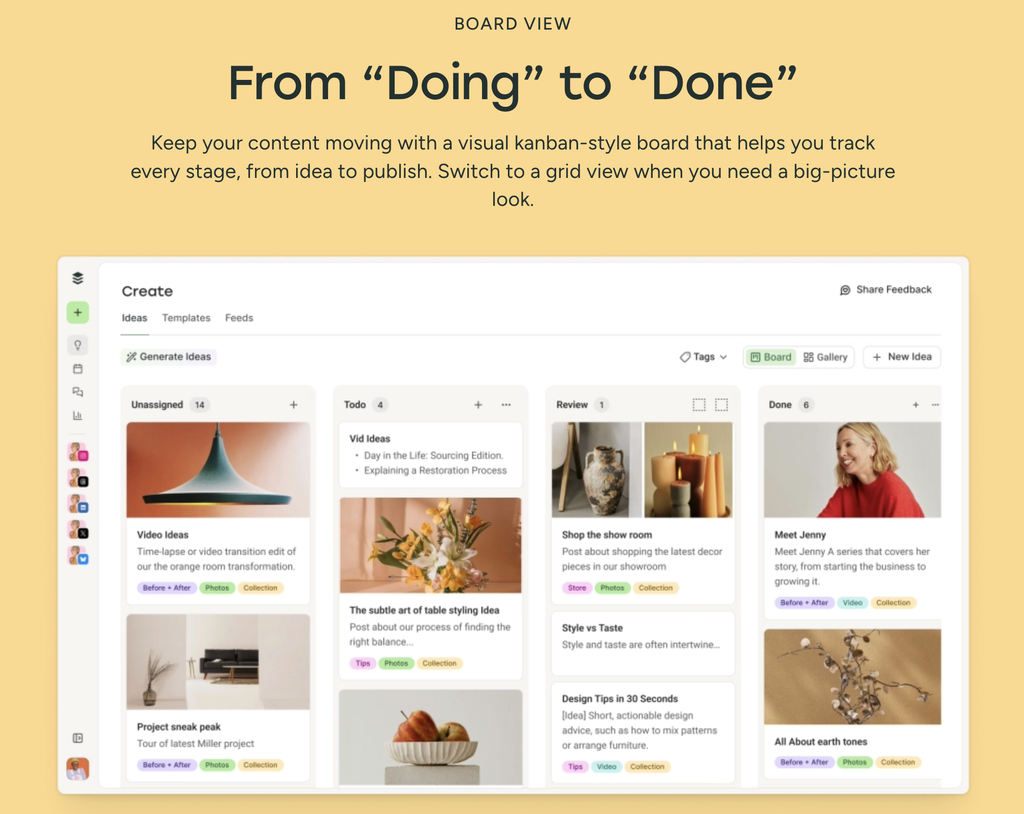
Buffer was one of the first big scheduling tools around, and it’s also the most generous here when it comes to AI. While nearly every competitor meters AI by credit, Buffer’s AI Assistant has no monthly cap on any plan at all, including the free one. You can generate, rewrite, and regenerate to your heart’s content.
It’s also the easiest of these to run from an AI assistant rather than a dashboard. The MCP server, public API, and command-line tool are included on every plan, so Claude or ChatGPT can schedule and publish on your behalf without an upgrade.
Reviews
| Capterra | G2 | TrustRadius |
| 4.5/5 from 1,490 reviews | 4.3/5 from 1,024 reviews | 7.9/10 from 408 reviews |
Price
- Free plan covering three channels with no time limit.
- Paid plans from $6 to $12 per channel per month when billed monthly.
- Annual billing includes two months free.
Key Features
- Generate and rewrite captions with an AI Assistant that has no monthly credit cap on any tier.
- Repurpose one post into versions built for each network rather than copying identical text across all of them.
- Connect Buffer to Claude or ChatGPT through its MCP server at mcp.buffer.com/mcp, so your assistant schedules and publishes directly.
- Publish to 11 networks including Threads, Bluesky, and Mastodon, several of which larger tools still don’t support.
Best For
Creators and small teams that want useful AI without paying an AI tax that can easily spiral out of control.
Buffer gives you unlimited caption generation and access to its MCP server even on the free plan, making it one of the easiest and cheapest ways to test whether handing scheduling and publishing over to an AI assistant actually improves your workflow.
2. Hootsuite
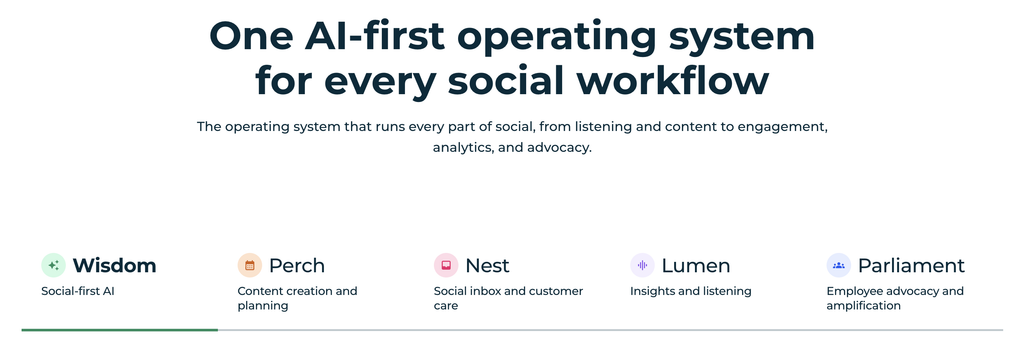
Hootsuite has been the enterprise default for years, with more than 25 million users, and its AI now covers multiple social media tasks.
OwlyWriter handles captions and content ideas. An OwlyGPT layer learns your brand voice and generates images, currently in beta. And the Wisdom agent answers questions about your brand and your market, monitoring 150 million sources to give you great insights into what’s trending right now.
Hootsuite’s own research found 64% of senior marketing leaders are running AI tools with no access to live social data at all.
Reviews
| Capterra | G2 | TrustRadius |
| 4.4/5 from 3,791 reviews | 4.3/5 from 6,687 reviews | 8.1/10 from 1,277 reviews |
Price
- No free plan, though a 30-day trial is available.
- Plans from $199 to $399 per month when billed monthly.
- Annual billing saves 20%, with a further 10% for skipping the trial.
Key Features
- Write captions, generate ideas, and rework top-performing posts into new content with OwlyWriter AI.
- Train the OwlyGPT layer on your brand voice, and generate images without leaving the platform.
- Use Hootsuite’s listening, publishing, and inbox triage from inside Claude, ChatGPT, Gemini, or Copilot through its MCP connectors.
- Monitor more than 150 million sources for brand mentions and emerging narratives via the Wisdom agent.
Best For
Larger teams that need listening, publishing, and analytics in one platform and have the budget to match. The absence of a free plan and the $199 floor rule it out for most small businesses.
3. Sprout Social
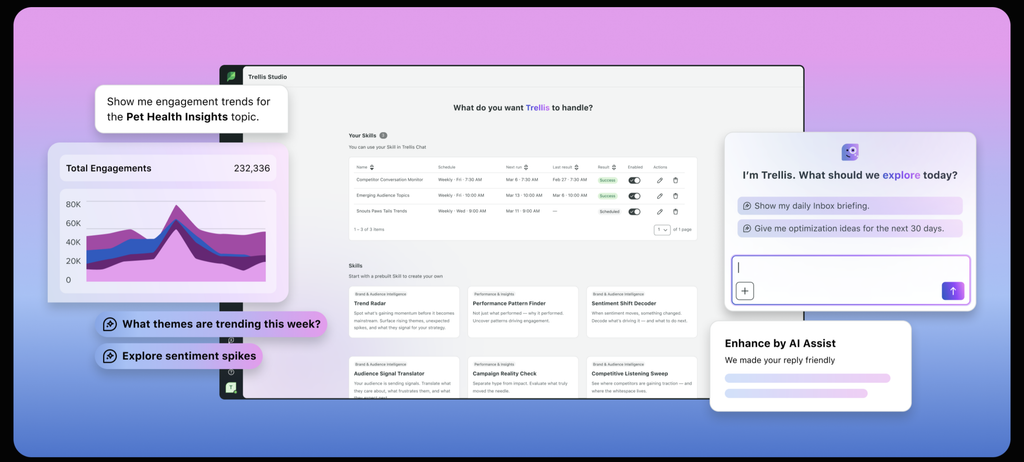
Sprout Social is the most expensive tool on this list and also the most complete. Its powerful Trellis AI engine now drives Publishing, Listening, the Smart Inbox, and Reporting, so it’s flexible for all your social media management needs.
One standout feature is ViralPost, a patented algorithm that calculates your best posting times from your own audience data. It’s included on every plan rather than reserved for the expensive tiers.
The catch is the pricing model. Sprout charges per user, which can add up rapidly.
Reviews
| Capterra | G2 | TrustRadius |
| 4.4/5 from 604 reviews | 4.4/5 from 6,158 reviews | 8.4/10 from 599 reviews |
Price
- $199 to $399+ per user per month on an annual plan.
- Premium solutions including social listening and advanced analytics cost extra, at undisclosed rates.
- Per-user pricing means costs rise sharply with team size, unlike the per-brand and per-channel models elsewhere on this list.
Key Features
- Schedule into Optimal Send Times, calculated by ViralPost from 16 weeks of your audience data and rated one to five stars, with up to seven recommended slots a day.
- Detect changes in market sentiment and narrative as they develop through Trellis, rather than reading about them in a monthly report.
- Consolidate DMs, comments, and mentions from every connected account into the Smart Inbox and route them by priority.
- Generate unlimited AI captions on paid plans with no credit metering.
Best For
Mid-sized and enterprise social teams managing a high volume of comments, DMs, and brand mentions across multiple accounts.
Sprout makes the most sense when you need to triage incoming messages, track changes in sentiment, and coordinate several people from one platform. ViralPost is a useful bonus even on the entry plan, using your own audience data to recommend when each post is most likely to perform well.
4. Later
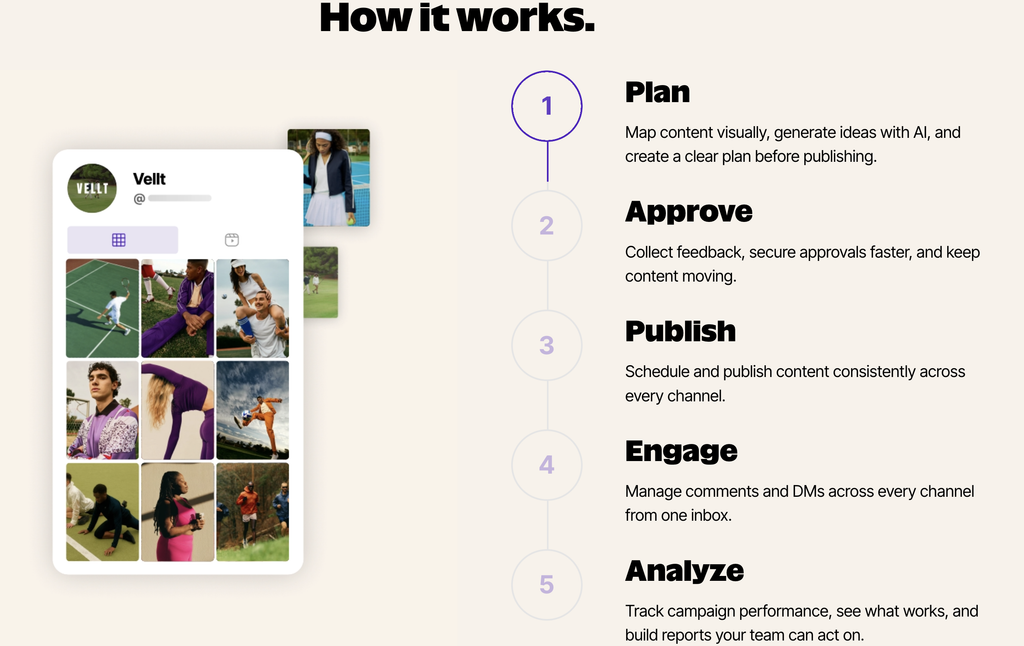
Later allows you to arrange upcoming posts in a grid preview until the sequence works visually, convert the feed into a clickable landing page with Link in Bio, and search a database of more than 14 million creator profiles when you need influencers for a campaign.
The AI tools cover captions and hashtag groups rather than agents or automation, and it’s metered by credit. Best-time-to-post analysis also requires the Growth plan or above.
Reviews
| Capterra | G2 | TrustRadius |
| 4.4/5 from 398 reviews | 4.5/5 from 347 reviews | 7.7/10 from 108 reviews |
Price
- Plans from $25 to $110 per month when billed monthly, priced by “social set” rather than per channel.
- Annual billing includes three free months.
- AI credits are an add-on at around $3.75 per 100, and best-time-to-post analysis needs the Growth plan or above.
Key Features
- Generate captions and hashtag groups with AI, metered by credits and tightly limited on the entry plan.
- Arrange upcoming posts in a grid preview until the feed reads the way you want before anything publishes.
- Convert your feed into a clickable landing page with Link in Bio, and track which posts generate clicks and sales.
- Find and vet creators across more than 14 million profiles through built-in influencer discovery.
Best For
Instagram-first brands, creators, and marketing teams that care about visual feed planning, influencer discovery, and turning social posts into traffic through Link in Bio.
It’s a strong fit for smaller teams managing organic content and creator campaigns, but agencies with 15+ client accounts or large volumes of DMs will likely outgrow its workflow.
5. Canva Magic Studio
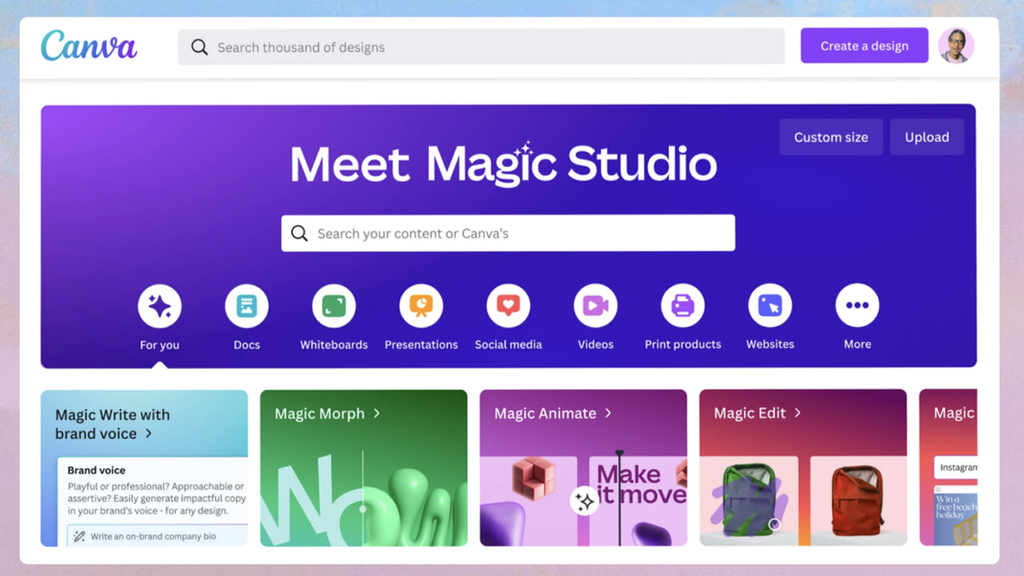
Canva is, of course, more of a design tool focused on creating graphics and other visuals.
Magic Studio has revolutionized that process, with Magic Design turning a text prompt into a finished layout, Dream Lab generating complete images, and Style Transfer keeping them consistent with your existing assets.
Magic Write produces copy in your brand voice, and Magic Switch reformats a single design for every channel you publish on.
Reviews
| Capterra | G2 | TrustRadius |
| 4.7/5 from 13,444 reviews | 4.7/5 from 6,833 reviews | n/a |
Price
- Free plan with a shared monthly allowance of 200 standard or 20 premium AI uses.
- Canva Pro at $15 per month, or $120 per year.
- Canva Business, formerly Teams, from around $10 per user per month on annual billing with a three-seat minimum. Canva renamed and repriced that plan in 2025, so older comparisons are unreliable.
Key Features
- Describe a post and get a finished layout back through Magic Design, then adjust it rather than starting from a blank canvas.
- Generate images with Dream Lab and apply Style Transfer to keep them consistent with your existing assets, with 500 generations a month on Pro.
- Train Magic Write on your brand voice so captions and body copy match the tone you already use.
- Reformat one design for every channel with Magic Switch, which resizes, repositions, and adapts copy length automatically.
Best For
Teams without a designer producing a high volume of on-brand graphics. Bear in mind that AI credits reset monthly and don’t roll over, so heavy months can leave you waiting or paying for more.
6. Opus Clip
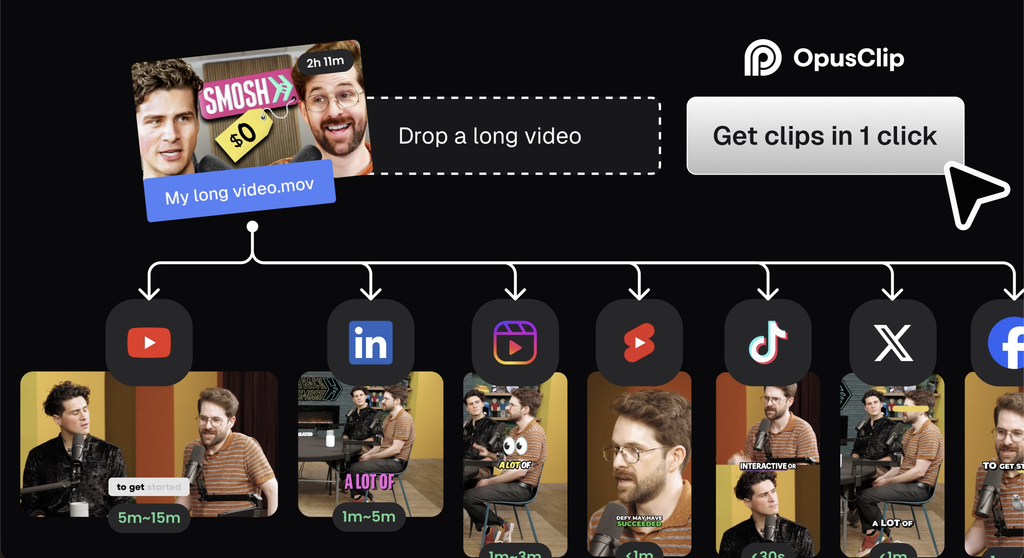
Opus Clip converts long video into short-form clips, ideal for content repurposing, compiling clips from other creators, or other video editing tasks.
The ClipAnything model reads visual cues, audio sentiment, and facial expressions rather than relying on the transcript alone. It tags clips with a virality score from 0 to 100, so you can filter for the strongest selection.
The free plan processes 60 minutes a month, which is enough to test it properly before paying anything.
Reviews
| Capterra | G2 | TrustRadius |
| N/a | 4.6/5 from 118 reviews | n/a |
Price
- Free forever plan with 60 minutes of processing a month, though clips include a watermark.
- Starter at $9 per month removes the watermark and adds the virality score and auto-posting.
- Pro at $19 per month includes 300 minutes, AI B-roll, multiple aspect ratios, and a four-seat workspace.
Key Features
- Clip from any public video URL with ClipAnything, without owning or uploading the source file.
- Rank every generated clip by a virality score from 0 to 100, so you publish the best three rather than all twenty.
- Reframe horizontal footage to vertical automatically, with captions that need minimal correction.
- Add AI B-roll, with 50 AI image clips a day included on Pro.
Best For
Marketing teams, podcasters, and creators turning webinars, interviews, podcasts, or conference footage into a steady stream of short-form social clips.
It’s particularly useful when the bottleneck is finding strong moments in long recordings and reformatting them for vertical video. Expect to review the results before publishing, as the AI can occasionally choose awkward start and end points.
7. Metricool
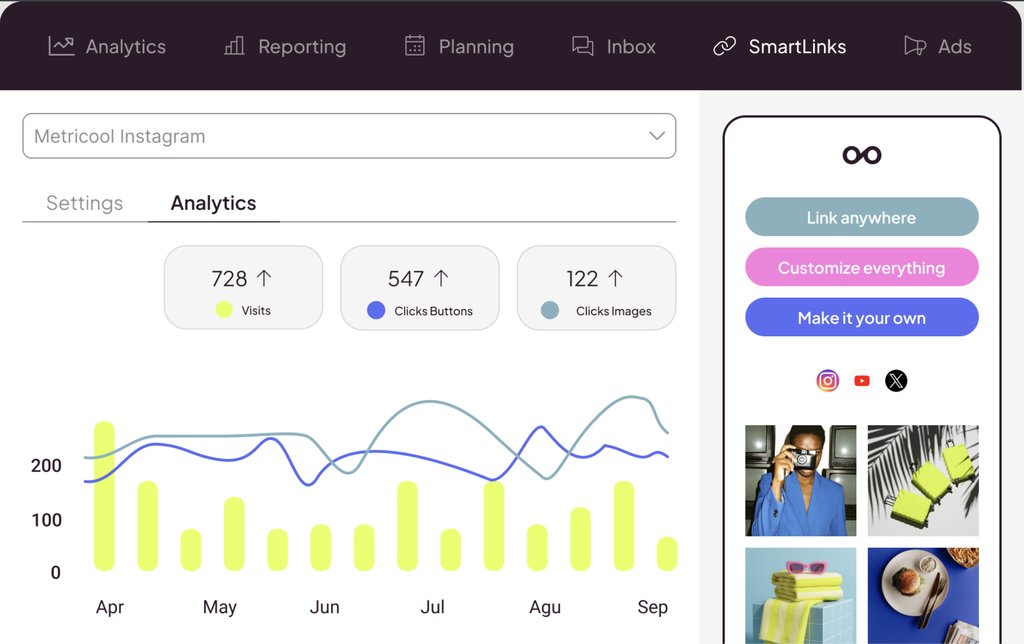
Metricool charges by brand rather than by channel or by user, and that single decision makes it dramatically cheaper than most of this list once you’re managing several accounts.
You also get features like competitor tracking that covers up to 100 profiles, while Google Ads and Meta Ads reporting appears alongside your organic social in one dashboard. The best-time-to-post heatmap is built from your own audience activity rather than industry averages.
Its MCP server works on the free tier too, which no other tool here offers.
Reviews
| Capterra | G2 | TrustRadius |
| 4.4/5 from 97 reviews | 4.5/5 from 98 reviews | n/a |
Price
- Free plan covering one brand, 20 posts a month, and 30 days of analytics history, with LinkedIn and X excluded.
- Starter at $20 per month on annual billing, covering up to 10 brands with unlimited publishing.
- Advanced at $53 per month adds approval workflows and the Looker Studio connector. X access costs an extra $10 per month per account.
Key Features
- Find your best posting slots from a heatmap built on your own audience activity rather than industry averages.
- Track up to 100 competitor profiles on paid plans, which nothing else at this price offers.
- Report on Google Ads and Meta Ads alongside organic social in a single dashboard.
- Connect Metricool to an AI assistant through its MCP server, available even on the free plan.
Best For
Agencies and social teams juggling multiple brands, competitors, and paid campaigns without wanting an enterprise-sized bill.
Metricool is especially compelling when you need organic social, Meta Ads, Google Ads, and competitor tracking in one reporting view. The AI writer is fairly limited, but that’s not really the point here; the value is in managing and measuring a lot of accounts for relatively little.
8. FeedHive
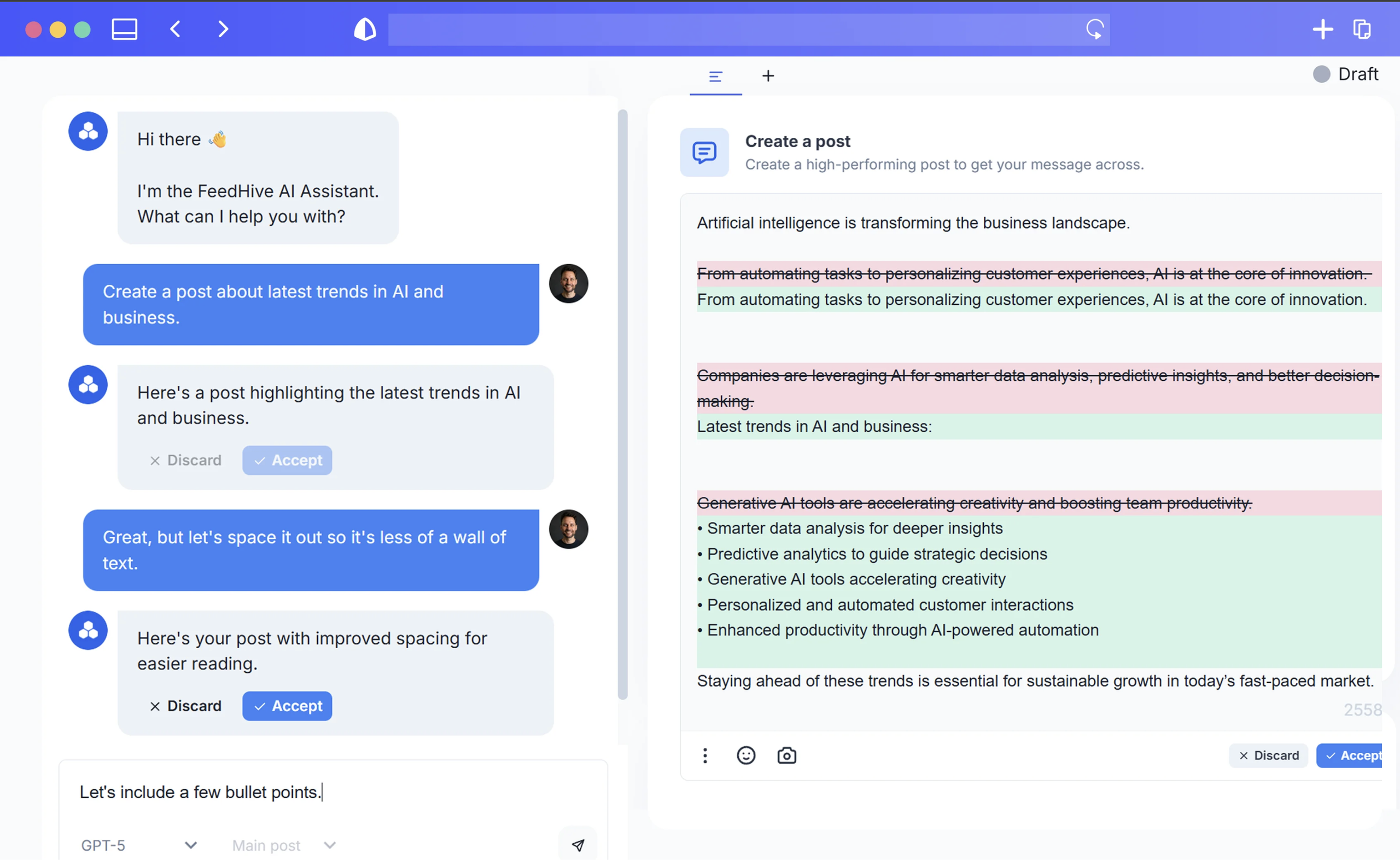
FeedHive predicts how a post will perform before you publish it, giving you a score to revise against rather than finding out after the fact. It’s the feature the whole product is built around.
In addition, there’s AI writing, automatic recycling of evergreen posts, conditional follow-up posting that continues a thread when a post passes a threshold you set, and a social inbox for comments and mentions.
It also ships an official MCP server for AI control, which is excellent at this price.
Reviews
| Capterra | G2 | TrustRadius |
| n/a | 4.2/5 from 172 reviews | n/a |
Price
- Creator from around €19 per month, or roughly $13 per month on annual billing.
- Brand at around €29 per month adds collaboration, with Business and Agency tiers above.
- Seven-day free trial with no card required, though AI usage is credit-metered on every tier.
Key Features
- Predict how a post will perform before publishing, then revise it based on the score.
- Recycle evergreen content automatically, with the tool identifying which past posts deserve another run.
- Set conditional and follow-up posting rules, so a thread continues on its own when a post passes a threshold you define.
- Draw on more than 5,000 pre-generated idea templates when you’re short of something to say.
- Connect to Claude or ChatGPT through its official MCP server, or to 9,000+ apps via Zapier.
Best For
Solo creators and small teams who post daily and want AI at every step rather than bolted on at the caption stage. Analytics are decent rather than enterprise-grade, so larger teams should look higher up this list.
9. Vista Social
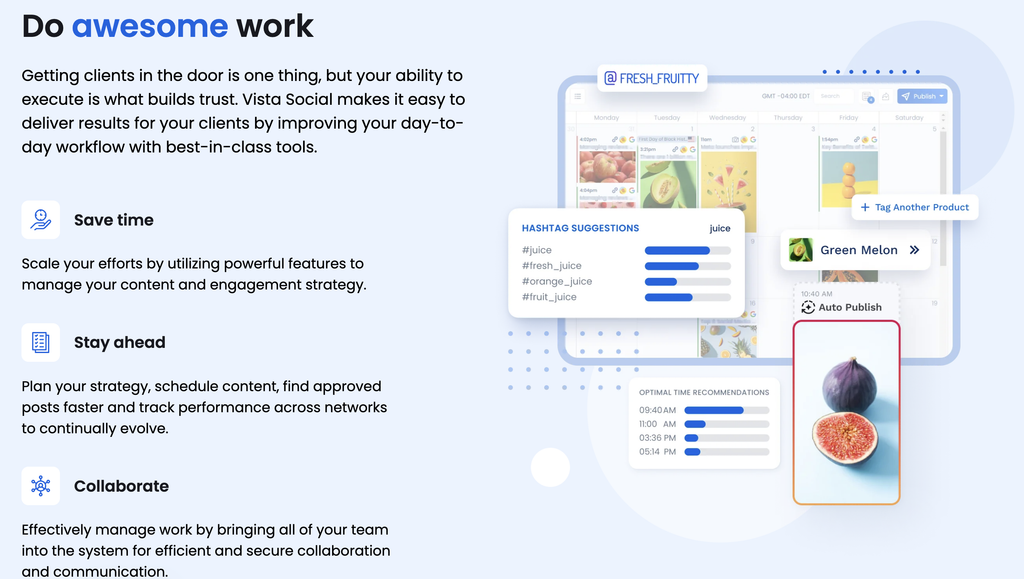
Vista Social has the highest user rating of any tool here, at 4.8 out of 5 from more than a thousand G2 reviews, and it took the easiest-to-use award in G2’s 2026 rankings.
It covers 15+ platforms, including review sites like Google Reviews and Yelp that most social tools ignore entirely. The AI handles engagement as well as captions, with keyword-triggered DM automations, comment-to-DM sequences, and lead collection built into the inbox.
One thing to check before committing is that X access is a $29 per month add-on on every plan, including the most expensive one.
Reviews
| Capterra | G2 | TrustRadius |
| 4.9/5 from 914 reviews | 4.8/5 from 1,071 reviews | n/a |
Price
- Professional at $79 per month, covering 15 profiles.
- Advanced at $149 per month adds unlimited AI assistant access and workflow automation.
- Scale at $349 per month adds white-labeling. X access is a $29 per month add-on on every plan.
Key Features
- Automate DM conversations using keyword triggers, comment-to-DM sequences, and built-in lead collection.
- Manage comments, DMs, and reviews from 15+ platforms in one inbox, including Google Reviews, Trustpilot, and Yelp.
- Train the AI on your brand voice and context through AI Training and Knowledge on Advanced plans.
- Route content through multi-step approval workflows, available on every plan rather than gated to higher tiers.
Best For
Agencies and teams handling real engagement volume across multiple brands, especially those managing review sites alongside social channels. AI captions are credit-metered until Scale, at 500 a month on Professional and 1,000 on Advanced.
10. Predis.ai
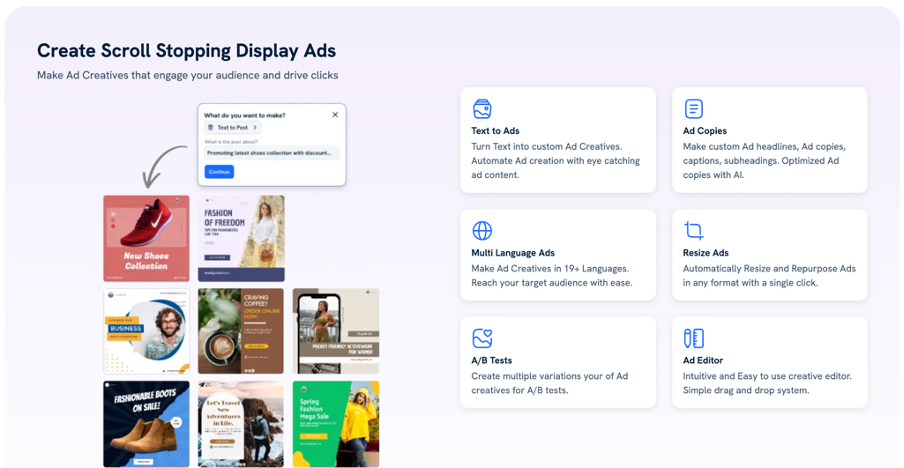
Predis.ai generates the creative and the caption together from a single prompt, rather than writing copy for a graphic you’ve made somewhere else. You describe what you want, or upload a product image, and get a finished post back.
It also produces UGC-style avatar videos, voiceover reels, and ad creatives with matching copy through its AI Ad Maker, added this year.
The output works best for e-commerce, where one product image becomes carousels, ads, and short videos with very little input from you.
Reviews
| Capterra | G2 | TrustRadius |
| 4.7/5 from 186 reviews | n/a | n/a |
Price
- Credit-based rather than flat, with entry plans reported between $19 and $32 per month depending on billing and source.
- Published rates are 20 credits for an image post, three credits per 10 seconds of standard video, and 10 credits per 10 seconds of avatar video.
- The entry tier includes 1,300 credits and no automated posting, which requires the tier above.
Key Features
- Generate a complete post, including creative, caption, and hashtags, from one text prompt or a product image.
- Produce UGC-style avatar videos and voiceover reels without filming anything.
- Create ad creatives and matching copy in a single step with the AI Ad Maker, added in 2026.
- Analyze competitor content patterns to see which formats and themes work in your category.
Best For
E-commerce brands and lean teams that need volume quickly. Generated visuals usually need brand polish before they go out, so budget editing time rather than treating the output as finished.
Choosing Between Them
It’s probably easier to visualize how these 10 tools split into three groups:
- Buffer, Hootsuite, Sprout, Later, Metricool, and Vista Social all schedule and publish. Features are similar, so look into the smaller details. And be aware of pricing, because Buffer charges per channel, Later per social set, Metricool per brand, and Sprout per user.
- Canva, Opus Clip, and Predis.ai are more for content production. If your bottleneck is having enough to post rather than getting it out of the door, start there instead.
- If you want an AI assistant operating your stack, Buffer, Metricool, FeedHive, Hootsuite, and Sprout have shipped MCP servers to help you build agentic workflows.
Want to go deeper into building an AI social media stack your team will use? Register for our upcoming AI for Marketers Summit!
Here are some similar articles you might enjoy:
- Top 10 AI Tools Every Marketer Should Be Using (Free + Paid)
- Top HubSpot AI Features For Marketers To Use In 2026
- Hyper-Personalization in Marketing: What It Actually Looks Like Across Email, Your Website, and Ads